MORE VERSIONS AVAILABLE
John Deere
Paul Johnson on April 1st
Introduction
In the field of software development and upgrades, one of the most common challenges during the installation of new versions or upgrades is the occurrence of errors that prevent the completion of the process. These errors can be due to a variety of causes, from system permissions problems to conflicts with other security programs or insufficient system resources. In this context, the installation of edt update, a crucial process for upgrading software in specific environments, can be affected by various errors, such as the message indicating the presence of a problem during installation and referring to an error log file.
Detailed descriptions of common errors
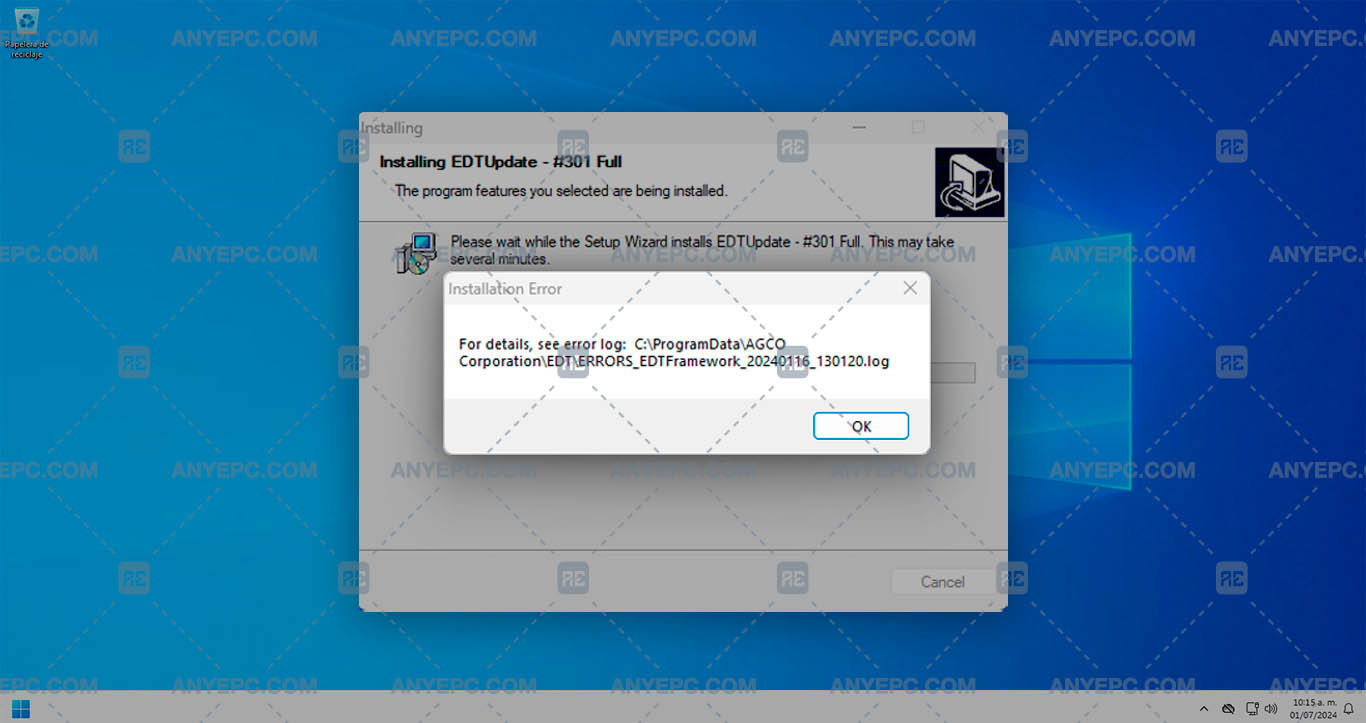
When the error appears during the installation of the edt update with the message “for details, see error log: 'C:\ProgramDataAGCO Corporation_EDT\ERRORS_EDTFramework_. log'”, this indicates that there was a problem in the installation process and that the specific details of the error were logged in a log file in the mentioned location, possible causes of the error:
1- Permissions problems.
2- Corrupt or incomplete files.
3- Conflicts with antivirus software or firewall.
4- Missing dependencies.
5- Insufficient disk space.
Effects and consequences
When the installation process does not have proper permissions to access certain areas of the system or modify necessary files, the error will prevent the upgrade from completing successfully, the installation will fail and the program will not update correctly, which may leave softawre vulnerable to compatibility or security issues.
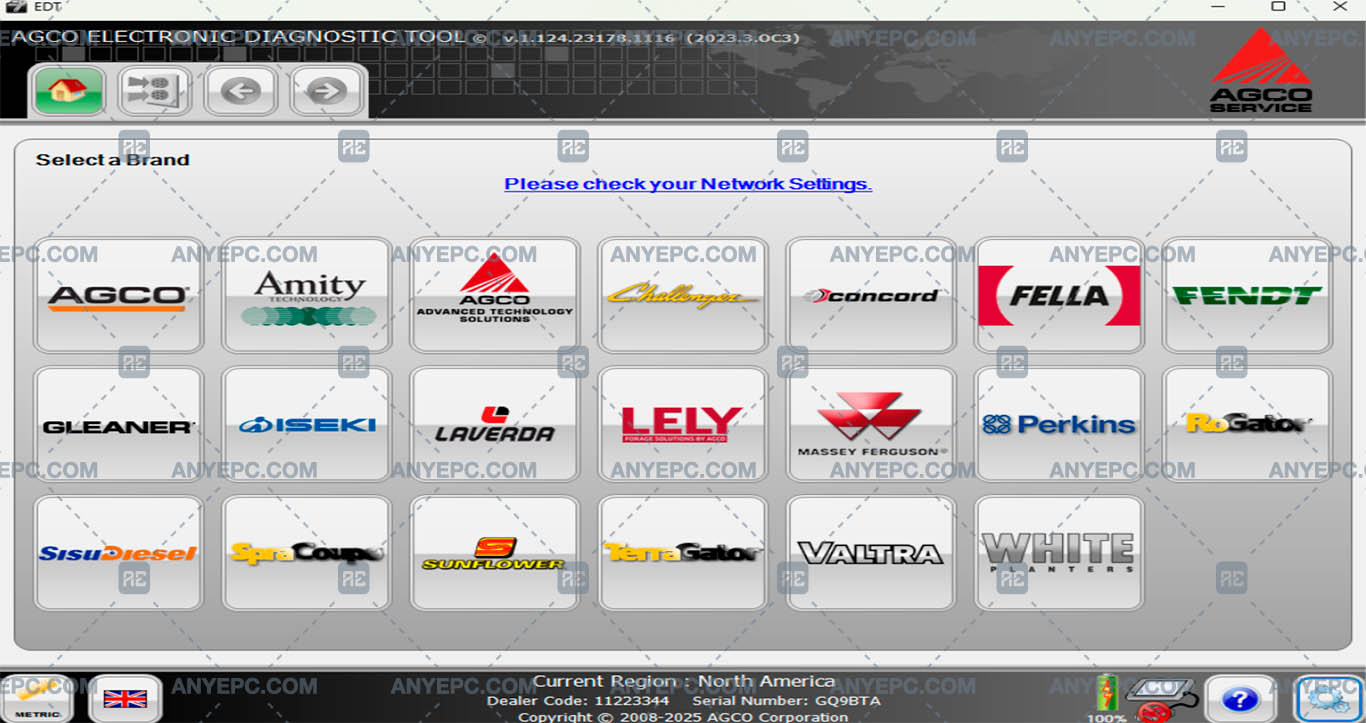
View of the implemented solution

MORE VERSIONS AVAILABLE
John Deere
![AGCO EDT 1.128.25317.1022 [2025.11]](https://anyepc.com/storage/products/617/617_bdfd2b8f-4945-44a5-92b9-4e561ec9afb4nwm.webp "AGCO EDT 1.128.25317.1022 [2025.11]")
MORE VERSIONS AVAILABLE
![CNH EST 9.14 [2026.02]](https://anyepc.com/storage/products/1113/1113_cf76bc9f-dad8-47eb-963f-a7aebe172483nwm.webp "CNH EST 9.14 [2026.02]")
Cnh
![ETIM GO FULL PACK 8.18 [2026.01]](https://anyepc.com/storage/products/77/77_75528d89-74f7-4a31-b9e8-66ccbd6a662fnwm.webp "ETIM GO FULL PACK 8.18 [2026.01]")
Cnh
![CLAAS WEBTIC OFFLINE ENGLISH 4.4.94 [2024.10]](https://anyepc.com/storage/products/512/512_34cb1363-267b-4e33-a5d2-412f5dc977b9nwm.webp "CLAAS WEBTIC OFFLINE ENGLISH 4.4.94 [2024.10]")
Claas Webtic Offline English 4.4.94 [2024.10]
$ 100.00
Claas
![ETIM GO CASE AGRICULTURE 8.18 [2026.01]](https://anyepc.com/storage/products/797/797_f864debc-348a-4f66-a579-8d7db7604e2fnwm.webp "ETIM GO CASE AGRICULTURE 8.18 [2026.01]")
Cnh
![JOHN DEERE & HITACHI PARTS ADVISOR 3.25.1 [2025.10]](https://anyepc.com/storage/products/707/707_369e2947-cf00-4832-a65f-ff364bbeac36nwm.webp "JOHN DEERE & HITACHI PARTS ADVISOR 3.25.1 [2025.10]")
John Deere
![ETIM GO NEW HOLLAND AGRICULTURE 8.18 [2026.01]](https://anyepc.com/storage/products/80/80_516e4f86-49ae-4da6-be30-098049641d29nwm.webp "ETIM GO NEW HOLLAND AGRICULTURE 8.18 [2026.01]")
Etim Go New Holland Agriculture 8.18 [2026.01]
$ 75.00
Cnh
![JOHN DEERE PARTS MANAGER PRO 6.6.5.0 [2025.03]](https://anyepc.com/storage/products/732/732_c0b44976-9150-4bf4-bd6a-2d4fb7b4f3eenwm.webp "JOHN DEERE PARTS MANAGER PRO 6.6.5.0 [2025.03]")
John Deere Parts Manager Pro 6.6.5.0 [2025.03]
$ 50.00
John Deere
![AGCO AG AGRICULTURAL ALL DATABASE NORTH AMERICA (NA) 2.1.80 [2020.03]](https://anyepc.com/storage/products/616/616_639a2259-947e-4c5d-90eb-e33f80a2755fnwm.webp "AGCO AG AGRICULTURAL ALL DATABASE NORTH AMERICA (NA) 2.1.80 [2020.03]")