MORE VERSIONS AVAILABLE
![DDDL 8.23 SP3 [2026.02]](https://anyepc.com/storage/products/647/647_029273d5-007d-4ebf-b2fd-0b543364d4bdnwm.webp "DDDL 8.23 SP3 [2026.02]")
Detroit Diesel
Paul Johnson on April 9th
Introduction
In the field of application development and execution, the correct configuration of the execution environment is essential to guarantee its operability. One of the most common errors in applications that depend on Java Runtime Environment (JRE) is the message “Java Runtime Environment not found”, which prevents the execution of the software due to the absence or incorrect configuration of Java in the system. The lack of an adequate environment not only affects the performance of the DLB application, but can also compromise the efficiency and stability of the system on which it runs.
Detailed descriptions of common errors
When executing dlb, the message ”Java Runtime Environment not found” appears, indicating that the Java Runtime Environment (JRE) is not available for the application. This error can be caused by several reasons:
1- Java not available: The application requires JRE, but it is not installed on the system.
2- Incompatible version: The installed Java version may not be compatible with the specific requirements of the application.
3- Installation problems: A corrupted Java installation could be causing the problem.
4- System permissions: Restrictions on user permissions could block the operation of Java, preventing the application from detecting it.
5- Antivirus software: Some security programs may block the operation of Java, preventing the application from detecting it.
It is necessary to verify that java is installed, that the version is correct, reinstall if necessary and check permission or exception configurations in the antivirus.
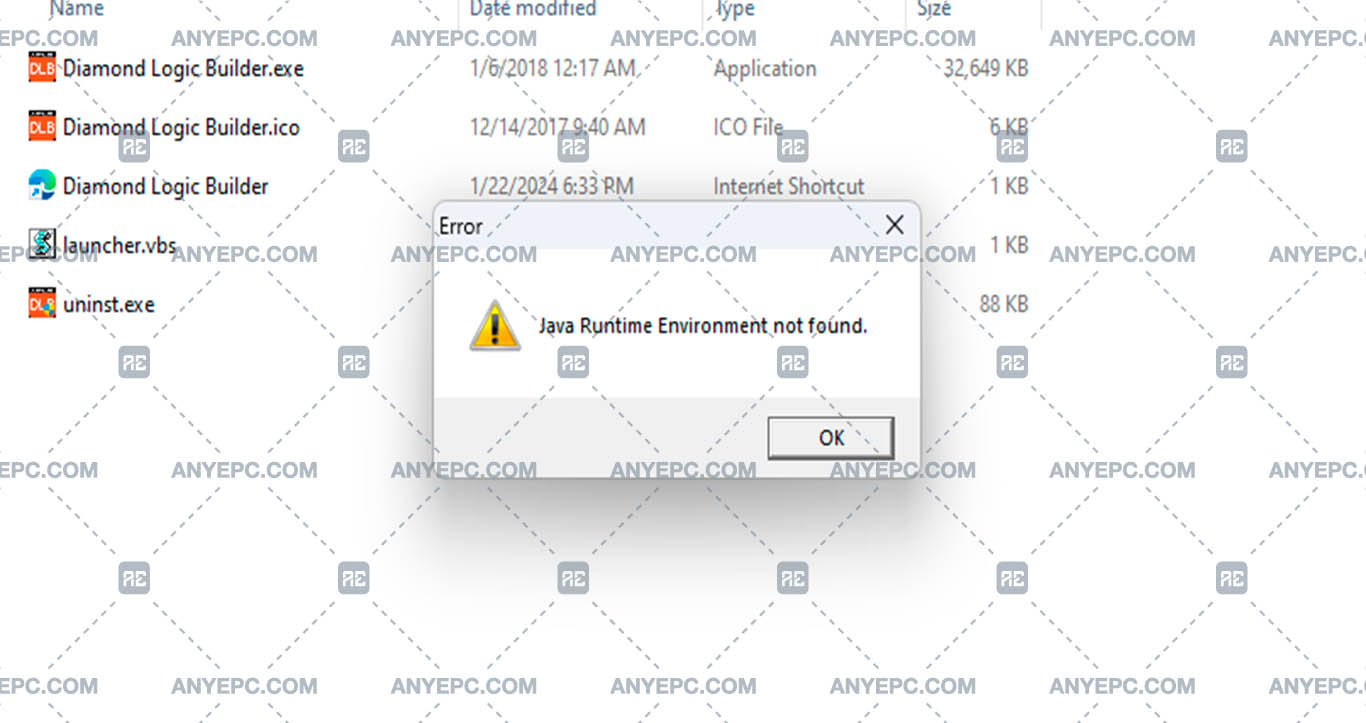
Effects and consequences
The application will not be able to start until the java runtime environment is available and configured correctly, if the application is used in critical processes, its malfunction may affect the workflow in the system, the user may receive recurring warnings about the absence of jre, making the user experience difficult.
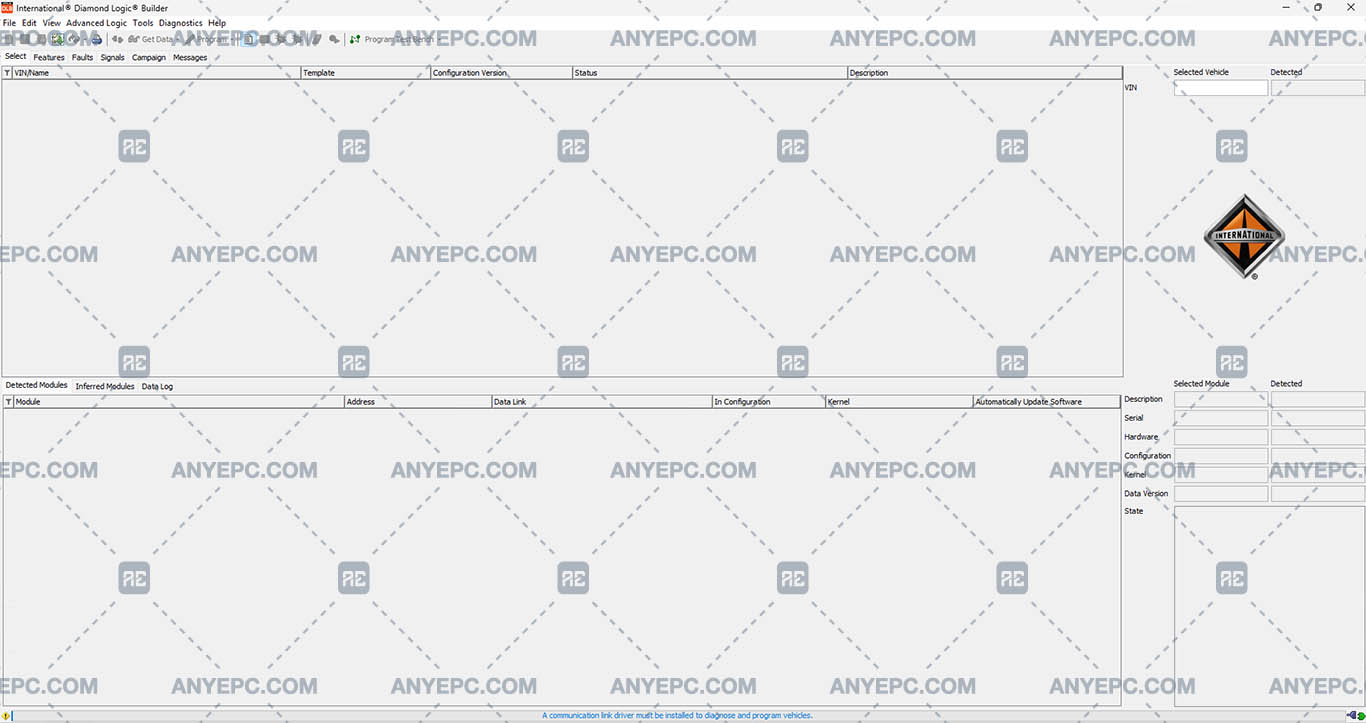
View of the implemented solution

Other errors of your interest
Was this helpful?
MORE VERSIONS AVAILABLE
Detroit Diesel
![SCANIA MULTI 25.50.0.0 [2025.05]](https://anyepc.com/storage/products/401/401_27773f02-3593-425c-af5c-5f83a9ae243cnwm.webp "SCANIA MULTI 25.50.0.0 [2025.05]")
Scania
![MAN MANTIS EPC 7.0.4.3 [2026.03]](https://anyepc.com/storage/products/819/819_f09c36e8-6c9c-49ab-9e9c-73f632e72873nwm.webp "MAN MANTIS EPC 7.0.4.3 [2026.03]")
Man
![SCANIA SDP3 TRUCKS 2.69.1.2 [2026.01]](https://anyepc.com/storage/products/509/509_d0f19a59-cefe-4614-994b-d18aef83fa5bnwm.webp "SCANIA SDP3 TRUCKS 2.69.1.2 [2026.01]")
Scania
![ALLISON TCM REFLASH 6.3 [2020.12]](https://anyepc.com/storage/products/632/632_91af78bc-bfde-42df-8849-0228e1b08efenwm.webp "ALLISON TCM REFLASH 6.3 [2020.12]")
Allison
![PACCAR ESA 5.7.0.0 [2024.02]](https://anyepc.com/storage/products/720/720_d9e64506-4404-4292-a326-8bd9c6d1eaf4nwm.webp "PACCAR ESA 5.7.0.0 [2024.02]")
Paccar
![ALLISON DOC 2024.1.0 [2024.11]](https://anyepc.com/storage/products/826/826_f962ce40-eef5-442f-a963-0385b73ccdd4nwm.webp "ALLISON DOC 2024.1.0 [2024.11]")
Allison
![DETROIT DIESEL BACKDOOR 2.1 [2005]](https://anyepc.com/storage/products/98/98_f88395c2-1524-4a49-a501-984bec8482efnwm.webp "DETROIT DIESEL BACKDOOR 2.1 [2005]")
Detroit Diesel
MORE VERSIONS AVAILABLE
![EATON SERVICE RANGER 4.13 [2024.11]](https://anyepc.com/storage/products/197/197_80b59dbb-2f8a-4180-95bd-c9c568974ecenwm.webp "EATON SERVICE RANGER 4.13 [2024.11]")
Eaton
![NEXIQ E-TECHNICIAN 2.15.9536.26095 [2026.02]](https://anyepc.com/storage/products/478/478_dccbacfc-5237-49c5-b5e4-55ec895c2d7enwm.webp "NEXIQ E-TECHNICIAN 2.15.9536.26095 [2026.02]")
Nexiq